








Disney Coloring World


Installs
10M+Category
Play PassContent Rating
Everyone
Screenshots
Editor Reviews
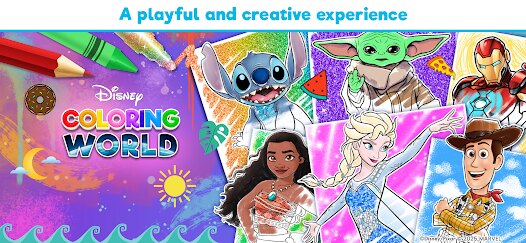
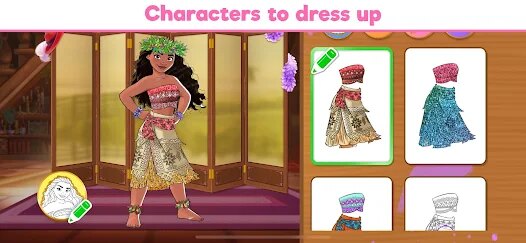
From the creative minds at StoryToys, a developer renowned for crafting engaging and high-quality digital experiences for young audiences, comes Disney Coloring World. This title falls squarely into the casual and creative genre, offering a digital coloring book experience that brings the vast Disney and Pixar universe to your fingertips. The game's sound design is subtle yet effective, featuring gentle, cheerful background melodies and satisfying audio cues for actions like selecting colors or placing stickers, all of which create a calm and focused atmosphere perfect for creative play. Visually, the art style is clean and inviting; the line art of the characters and scenes is crisp, providing a perfect canvas, while the color palette is vibrant and extensive, allowing for truly stunning results when a page is completed.
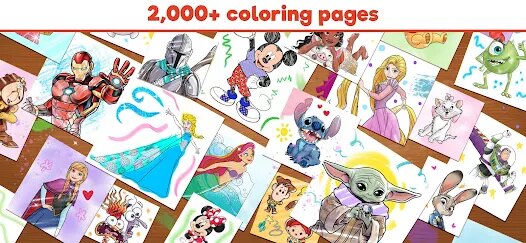
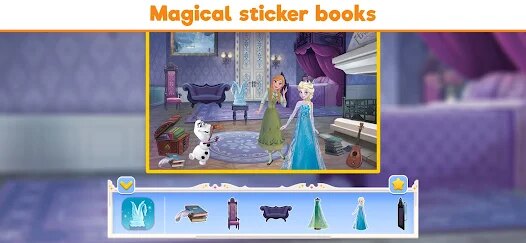
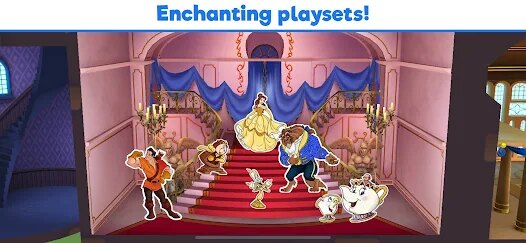
The game cleverly forgoes a traditional narrative, instead leveraging the immense library of beloved Disney and Pixar stories as its foundational backdrop. Players aren't following a plot but are rather immersing themselves in iconic moments, from the snowy peaks of 'Frozen' to the oceanic depths of 'Finding Nemo'. This approach empowers the player's imagination, making the activity less about progression and more about personal expression and revisiting favorite characters. A special and delightful gameplay technique is the interactive 'Magic' tool, which doesn't just fill areas with color but often adds sparkling effects or dynamic patterns, making the coloring process feel truly enchanted. The sticker system is another standout, allowing users to decorate their completed scenes with a plethora of themed stickers, adding an extra layer of customization and fun.
Overall, Disney Coloring World is a beautifully executed digital coloring book that successfully captures the magic of its source material. It provides a wonderfully accessible, stress-free creative outlet for fans of all ages. The controls are intuitive, the content is plentiful and consistently updated with new characters and themes, and the ability to save and share creations is a great feature. However, the experience is not without its minor flaws. The free version is somewhat limited, with a significant portion of the coloring pages and sticker packs locked behind in-app purchases or a subscription, which can feel restrictive. Additionally, while the 'Magic' fill is fun, some more advanced artistic tools for blending or shading would be a welcome addition for older users seeking more control. Despite these points, the game remains a top-tier choice in its category, delivering a polished, joyful, and authentically Disney creative experience.
How to play?
🎨 Step 1: Download and launch Disney Coloring World from your app store. Upon opening, you'll be greeted by a friendly menu. Start by browsing the vast collection of coloring books, each themed around different Disney and Pixar movies like 'The Lion King,' 'Toy Story,' or 'Moana.'
🖌️ Step 2: Select a coloring book and then choose a specific page you'd like to color. You'll be presented with a black-and-white line drawing of a famous character or scene. Use your finger or stylus to tap on the screen and zoom in or out for detailed work.
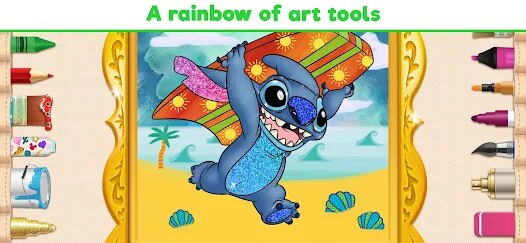
🎯 Step 3: Familiarize yourself with the toolbar. You'll find a color wheel with a massive selection of hues, a paint bucket for quick fills, a pencil for fine detailing, an eraser, and the special 'Magic' brush. Tap any tool to select it.
🌈 Step 4: Start coloring! Simply tap a color and then tap on an area of the drawing to fill it. For large areas, the paint bucket is fastest. For edges and small details, switch to the pencil tool. Don't worry about mistakes—the eraser is there to help.
✨ Step 5: Experiment with the 'Magic' tool. Select it and tap on an area; it won't just add color but often applies a sparkling, animated, or patterned effect, making parts of your artwork come alive in a uniquely Disney way.
📌 Step 6: Once your coloring is complete, explore the sticker menu. Here, you'll find hundreds of themed stickers. Drag and drop them onto your picture to decorate the scene, add characters, or create fun, new stories around your artwork.
💾 Step 7: Save and share your masterpiece! Tap the save icon to store your creation in your in-game gallery. You can also use the share button to send your artwork directly to family and friends or even print it out for a real-world display.
Download the App
Online Games






Disclaimer
1 . Leogame does not represent any developer, nor is it the developer of any App or game.
2 . Leogame provide screenshots, historical version Apk, links and other information, which we collected from Google Play. We will also add our own reviews to provide users with more information to choose.
3 . All trademarks, registered trademarks, product names and company names or logos appearing on the site are the property of their respective owners.
4 . Leogame abides by the federal Digital Millennium Copyright Act (DMCA) by responding to notices of alleged infringement that complies with the DMCA and other applicable laws.
5 . We guarantee the security of apk files downloaded from our site and also provide the official download link at Google Play Store and App Store.
6 . If you are the owner or copyright representative and want to delete your information, please contact us [email protected].
7 . All the information on this website is strictly observed all the terms and conditions of Google Ads Advertising policies and Google Unwanted Software policy.