











Build Epic Plane

Installs
10M+Category
CasualContent Rating
Everyone
Screenshots




Editor Reviews
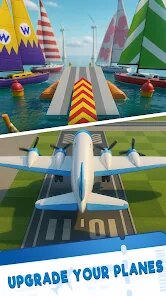
MoussApps, a developer known for its engaging mobile titles, brings us 'Build Epic Plane', a creative and accessible simulation game that puts the joy of aircraft construction directly into players' hands. The game falls squarely into the sandbox builder genre, offering a surprisingly deep and satisfying crafting experience centered on aviation. From the satisfying 'clunk' of attaching a new engine to the gentle hum of a completed propeller, the sound design is minimalist yet effective, providing clear audio feedback for every action. Visually, the game employs a clean, colorful, and slightly cartoonish art style that makes the building process intuitive and the final planes look charmingly unique, whether they're sleek jets or bizarre multi-winged contraptions.
The experience is driven more by creativity than a traditional narrative. There is no overarching story; instead, the 'plot' is the one you write through your engineering triumphs and hilarious failures. The core gameplay loop of designing, building, and testing your aircraft is incredibly compelling. A key technique for new builders is to start simple, focusing on balance and symmetry before adding complex elements like multiple engines or weapons. Mastering the placement of wings, engines, and weight is crucial for a plane that doesn't immediately nosedive into the ground. The physics, while forgiving enough to be fun, require thoughtful design.
While 'Build Epic Plane' excels in fostering creativity, it is not without its limitations. The game can feel somewhat repetitive after extensive play, as the core activity remains constant without significant progression goals or varied challenges. Some players might crave more structured objectives or a campaign mode to guide their creations. However, as a pure digital sandbox for aspiring aeronautical engineers, it delivers a wonderfully entertaining and often humorous experience. The sheer satisfaction of seeing a rickety collection of parts finally achieve stable flight is a testament to the game's solid and engaging core design.
How to play?
🛠️ Step 1: Start in the Hangar. Upon launching, you'll be in the main building area. Familiarize yourself with the interface. The bottom toolbar holds all your parts like wings, engines, cockpits, and decorative items. The screen is your workspace. Tap and drag parts from the toolbar to place them on the central fuselage block.
✈️ Step 2: Build a Basic Frame. Start with a cockpit. Then, attach a basic wing piece symmetrically to each side of the fuselage. Remember, balance is key! Add a tail fin at the back for stability. Your first plane should be simple: cockpit, two wings, one tail.
⚙️ Step 3: Add Propulsion. Drag an engine from the parts menu and attach it to the front or on the wings. Connect a propeller to it. For your first build, one engine is plenty. Ensure it's securely attached and not blocked by other parts.
🎨 Step 4: Customize and Refine. Use the color tool to paint your plane. You can also add landing gear, weapons, or fun cosmetic items. But keep it light! Adding too much weight or imbalanced items will affect flight.
✅ Step 5: Test Your Creation. Hit the 'Test Flight' button. Your plane will be moved to a runway. Tap the throttle button to apply power and get moving. Gently tilt your device forward or use on-screen controls to lift the nose for takeoff.
🔄 Step 6: Analyze and Iterate. Did it crash immediately? It's part of the fun! Go back to the hangar ('Exit Test'). Common fixes: adjust wing placement for better lift, ensure the plane is symmetrical, or reduce weight. Small adjustments can make a huge difference.
🚀 Step 7: Experiment and Challenge Yourself. Once you master a basic flyer, try new designs: a giant cargo plane, a speedy jet with multiple engines, or a silly flying machine. Use the different environments and see how your unique creations perform. The sky is literally the limit.
Download Apk File
Online Games











Disclaimer
1 . Leogame does not represent any developer, nor is it the developer of any App or game.
2 . Leogame provide screenshots, historical version Apk, links and other information, which we collected from Google Play. We will also add our own reviews to provide users with more information to choose.
3 . All trademarks, registered trademarks, product names and company names or logos appearing on the site are the property of their respective owners.
4 . Leogame abides by the federal Digital Millennium Copyright Act (DMCA) by responding to notices of alleged infringement that complies with the DMCA and other applicable laws.
5 . We guarantee the security of apk files downloaded from our site and also provide the official download link at Google Play Store and App Store.
6 . If you are the owner or copyright representative and want to delete your information, please contact us [email protected].
7 . All the information on this website is strictly observed all the terms and conditions of Google Ads Advertising policies and Google Unwanted Software policy.