









DIY Coloring: Pixel Art Number


Installs
500K+Category
PuzzleContent Rating
Everyone
Screenshots


Editor Reviews
Emerging from the creative minds at DIY Paper Doll Dress Up Games, a studio known for its casual, accessible titles that often blend creativity with simple gameplay loops, DIY Coloring: Pixel Art Number presents itself as a straightforward digital coloring book with a numerical twist. This title falls squarely into the expansive genre of casual puzzle and art games, designed for quick sessions and stress-free engagement. Its core appeal lies not in complex mechanics but in the meditative, satisfying process of revealing images through color-by-numbers.
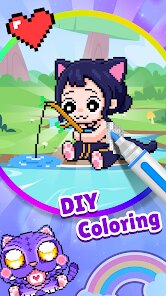
The game's audio-visual presentation is minimalist and functional. The art style is clean and blocky, embracing its pixel-art premise. The color palette is vibrant, and the act of filling a square with color provides a crisp, visual snap that is inherently satisfying. Sound effects are subtle—typically a soft tap or chime accompanying each colored pixel—and there is no overarching musical score or narrative to speak of. This lack of a storyline or dramatic audio is a deliberate design choice, focusing the experience entirely on the tactile joy of creation. The 'gameplay' is the coloring itself; a special technique for veterans might involve strategizing the order in which to tackle color blocks for maximum efficiency or visual payoff, though the process is largely intuitive.
As a whole, DIY Coloring: Pixel Art Number succeeds in its singular goal: providing a no-fuss, relaxing coloring experience. It is an excellent digital alternative to physical coloring books, with the added convenience of an infinite color palette and no mess. However, its simplicity is also its primary limitation. The gameplay can become repetitive over long periods, and the lack of any creative freedom beyond the predetermined color guides may deter players seeking a true art tool. It is a polished, well-executed example of its specific niche—perfect for unwinding but offering little in terms of challenge or long-term engagement for those desiring more from their gaming experience.
How to play?
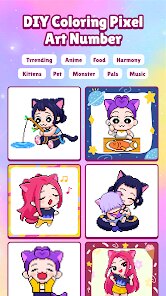
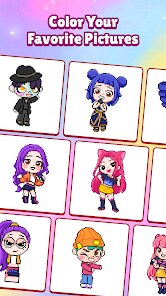
🎮 Step 1: Download and launch DIY Coloring: Pixel Art Number from your device's app store. Upon opening, you'll be presented with a gallery of pixel-art images, each locked and represented by a thumbnail.
🖼️ Step 2: Select an image you'd like to color. New players should start with simpler pictures marked with lower difficulty levels or fewer numbered sections to get a feel for the controls.
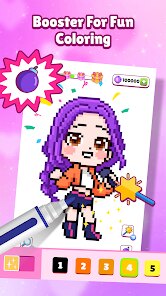
🎨 Step 3: Enter the coloring screen. You'll see the image broken into numerous small, numbered squares against a blank canvas. A color palette, with each color tagged with a corresponding number, is displayed on the side of the screen.
👆 Step 4: Tap on a color from the palette to select it. Then, simply tap on any square on the canvas that bears the matching number. The square will instantly fill with your chosen color.
🔢 Step 5: Continue the process. Methodically fill all squares sharing the same number with that color before moving to the next number. This 'batch coloring' technique helps you see the image emerge section by section and is more efficient than jumping around randomly.
📱 Step 6: Use basic tools to enhance your experience. You can zoom in for detailed areas or use a 'paint bucket' style tool if available, which fills all connected squares of the same number with one tap, speeding up the process on larger blocks of color.
💾 Step 7: Save and share your completed artwork! Once every numbered square is filled, the full pixel-art picture is revealed. You can save it to your device's gallery or share it directly to social platforms from within the app to showcase your colorful creation.
Download Apk File
Online Games







Disclaimer
1 . Leogame does not represent any developer, nor is it the developer of any App or game.
2 . Leogame provide screenshots, historical version Apk, links and other information, which we collected from Google Play. We will also add our own reviews to provide users with more information to choose.
3 . All trademarks, registered trademarks, product names and company names or logos appearing on the site are the property of their respective owners.
4 . Leogame abides by the federal Digital Millennium Copyright Act (DMCA) by responding to notices of alleged infringement that complies with the DMCA and other applicable laws.
5 . We guarantee the security of apk files downloaded from our site and also provide the official download link at Google Play Store and App Store.
6 . If you are the owner or copyright representative and want to delete your information, please contact us [email protected].
7 . All the information on this website is strictly observed all the terms and conditions of Google Ads Advertising policies and Google Unwanted Software policy.